Recipe 6 — Reference Lines: Trigger Threshold and Event Marker
Reference lines can mark static values, event positions, or moving cursors. This
recipe combines horizontal threshold lines with vertical event markers, including
an updated marker that moves in loop() by calling
updateVerticalReferenceLine().
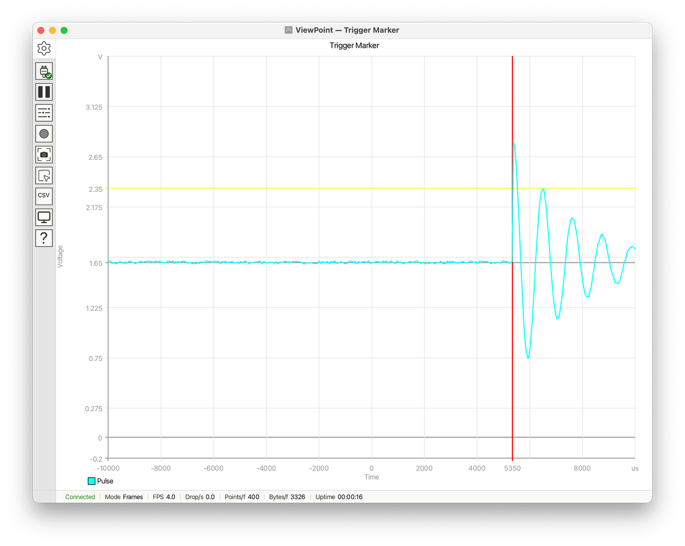
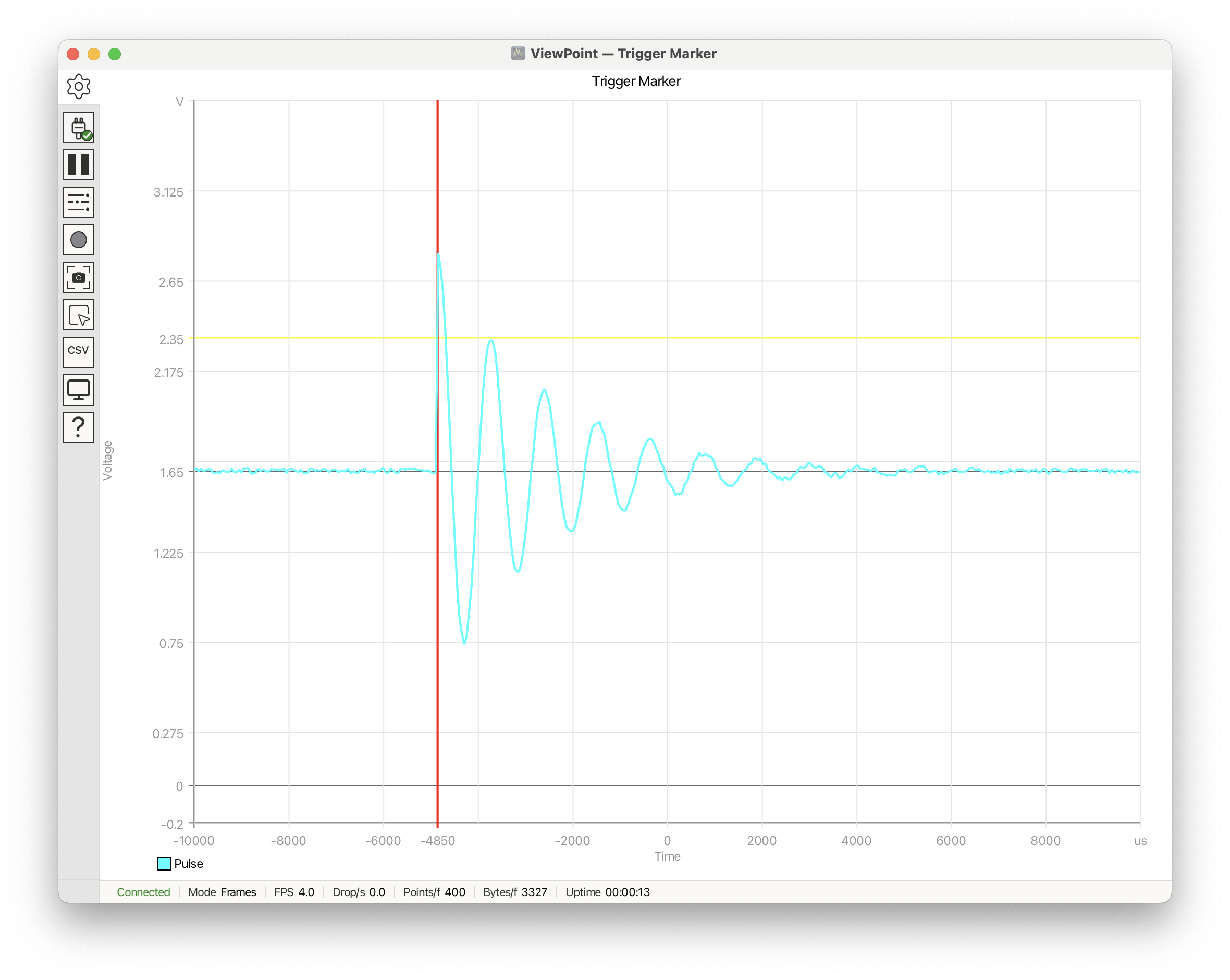
A synthetic single-supply pulse crosses a trigger threshold, then rings down toward mid-rail. Horizontal reference lines mark ground, mid-rail, and the trigger level; a vertical marker moves to the trigger time for each frame.
See Reference Lines for managing reference lines and bands via the Analysis panel.
Declarations and helpers
#include <ViewPoint.h>
#include <math.h>
using namespace viewpoint;

const float VREF = 3.3f;
const float TRIGGER_LEVEL = 2.35f;
const uint32_t SAMPLE_RATE = 20000;   // 20 kSPS
const int DISPLAY_SAMPLES = 400;
const uint32_t FRAME_DELAY_MS = 250;

int triggerMarker = -1;
int triggerIndex = 120;
int triggerStep = 17;
unsigned long lastFrameMs = 0;

float sampleAt(int i, int trigger) {
    float baseline = VREF / 2.0f;
    float noise = random(-15, 16) * 0.001f;
    float t = i - trigger;

    if (t < 0) {
        return baseline + noise;
    }

    float pulse = 1.15f * expf(-t / 45.0f) * cosf(t * 0.28f);
    return baseline + pulse + noise;
}
Configuration
void setup() {
    view.begin(frames, DISPLAY_SAMPLES);
    view.setDelay(0);
    view.setTitle("Trigger Marker");

    float time_span_us = DISPLAY_SAMPLES * (1.0f / SAMPLE_RATE) * 1e6f;
    float half_span = time_span_us / 2.0f;

    view.setPlotTitle("Triggered Pulse");
    view.setHorizontalRange(-half_span, half_span, 10);
    view.setVerticalRange(-0.2, 3.6, 8);
    view.setAxisLabels("Time", "Voltage");
    view.setUnits("us", "V");

    view.addHorizontalReferenceLine(0.0f, colors::DimGray);
    view.addHorizontalReferenceLine(VREF / 2.0f, colors::DimGray);
    view.addHorizontalReferenceLine(TRIGGER_LEVEL, colors::Yellow, 1.5f);

    float triggerTimeUs = (triggerIndex - DISPLAY_SAMPLES / 2) *
                          (1.0f / SAMPLE_RATE) * 1e6f;
    triggerMarker = view.addVerticalReferenceLine(triggerTimeUs,
                                                  colors::Red,
                                                  2.0f);
    view.trace("Pulse").setColor(colors::Cyan);
}
Loop
void loop() {
    unsigned long now = millis();
    if (now - lastFrameMs < FRAME_DELAY_MS) return;
    lastFrameMs = now;

    float triggerTimeUs = (triggerIndex - DISPLAY_SAMPLES / 2) *
                          (1.0f / SAMPLE_RATE) * 1e6f;
    view.updateVerticalReferenceLine(triggerMarker, triggerTimeUs);

    for (int i = 0; i < DISPLAY_SAMPLES; i++) {
        view.addData("Pulse", sampleAt(i, triggerIndex));
    }
    view.send();

    triggerIndex += triggerStep;
    if (triggerIndex > DISPLAY_SAMPLES - 80 || triggerIndex < 80) {
        triggerStep = -triggerStep;
        triggerIndex += triggerStep;
    }
}
What's happening
- Horizontal lines identify meaningful voltage levels: ground, mid-rail, and the trigger threshold.
- The vertical marker identifies when the event occurred in the captured frame.
updateVerticalReferenceLine()keeps the marker tied to the event as the synthetic trigger position moves from frame to frame.
What the functions do
addHorizontalReferenceLine(value, color, stroke)draws a flat threshold at a y value.addVerticalReferenceLine(value, color, stroke)draws an event marker at an x value and returns its reference-line index.updateVerticalReferenceLine(index, value)moves an existing marker without creating a new line.