Recipe 4 — Continuous vs Frames Modes
Continuous mode appends samples to a scrolling history, while Frames mode replaces
the visible packet with the latest complete frame. In VoidLoop ViewPoint™, continuous
draws new data with each point, while frames draws only after the full data set
has been received — defining the frame rate. See
Update Modes.
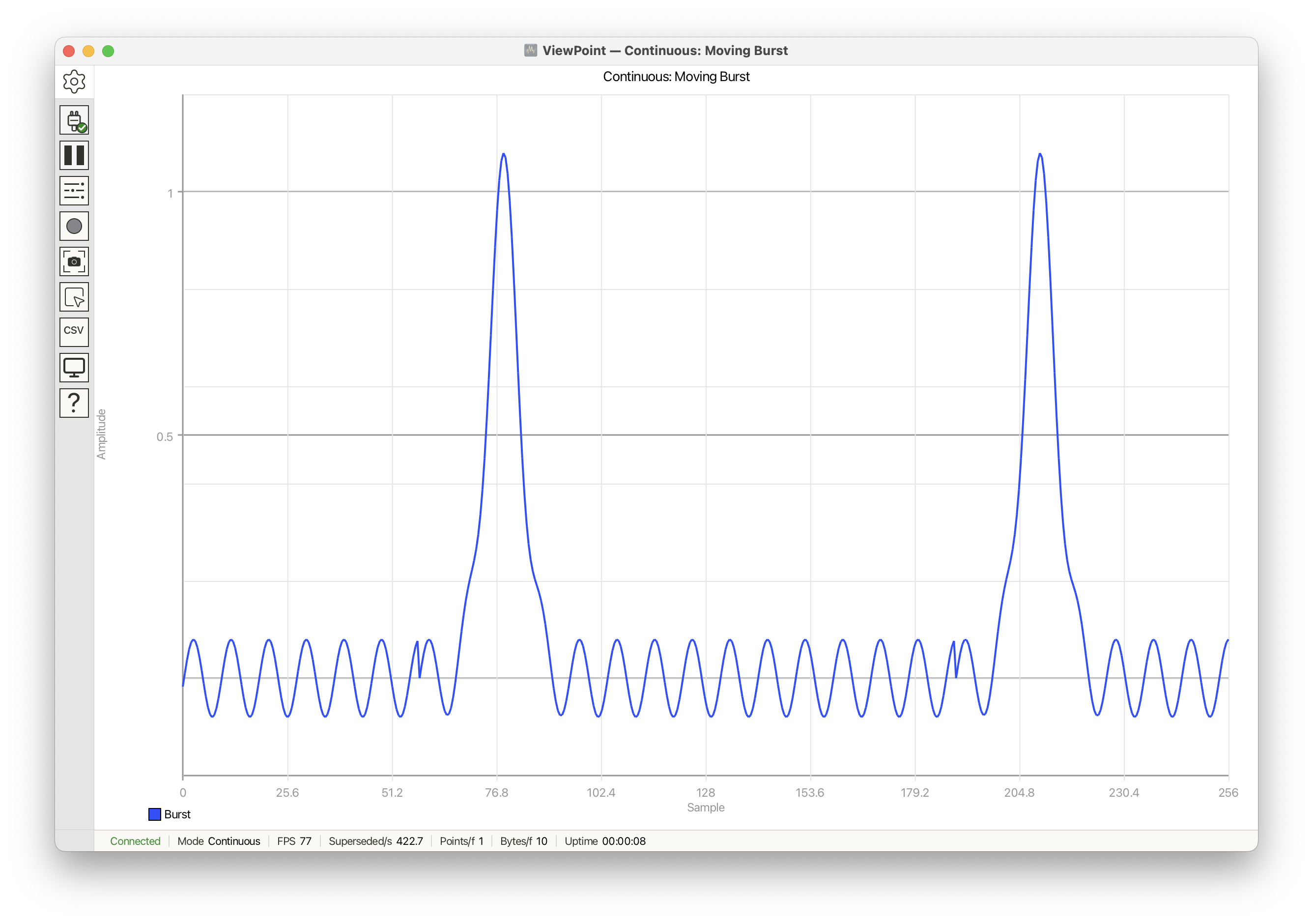
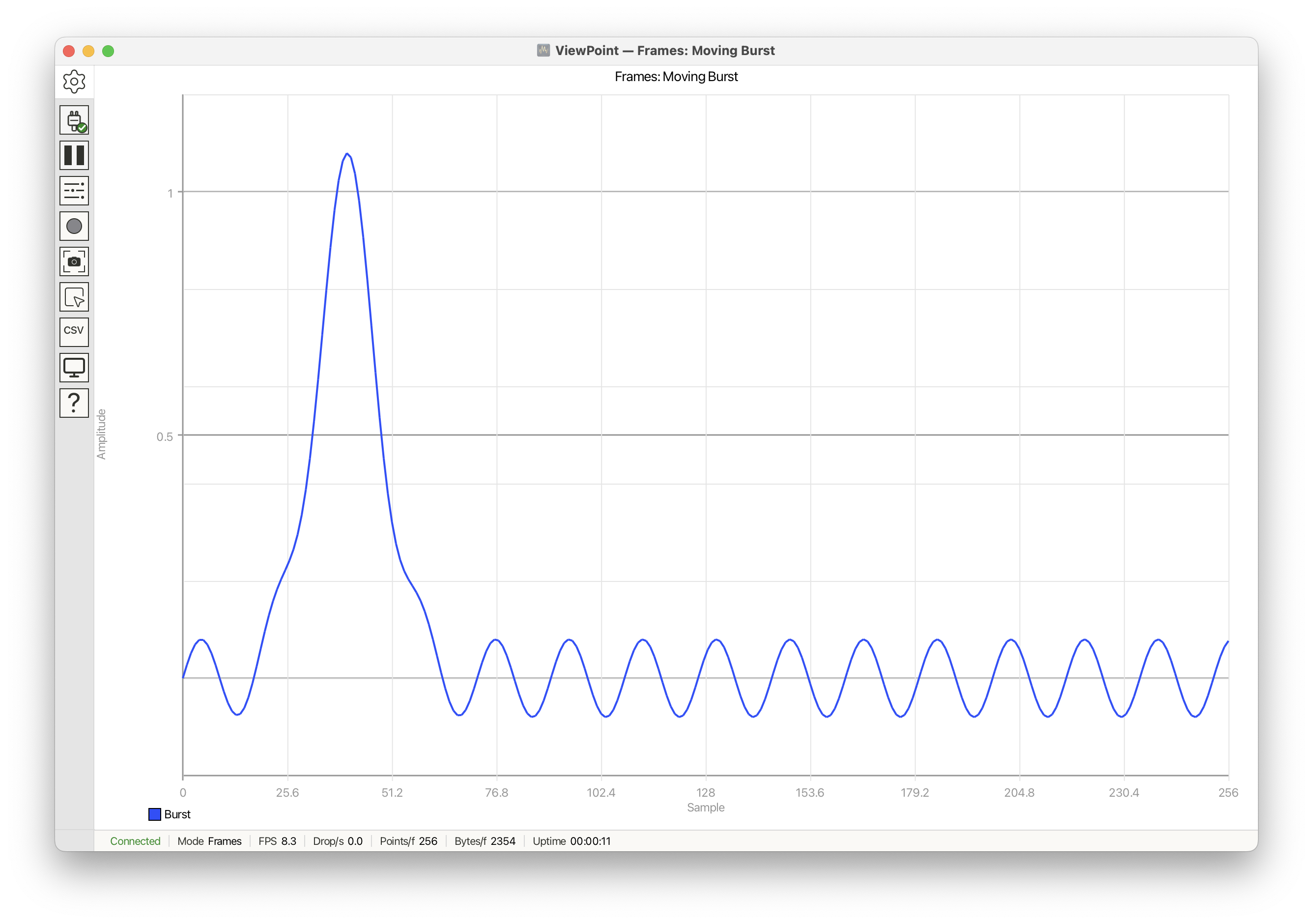
This recipe uses the same burst-shaped data in both sketches. The burst center stays fixed so the screenshots emphasize update behavior rather than motion.
Continuous mode
#include <ViewPoint.h>
#include <math.h>

const int PACKET_SIZE = 256;

float burstCenter = 40.0f;

float burstValue(int i, float center) {
    float d = i - center;
    float pulse = expf(-(d * d) / (2.0f * 8.0f * 8.0f));
    float ripple = 0.08f * sinf(i * 0.35f);
    return pulse + ripple;
}

void setup() {
    view.begin();
    view.setDelay(2);
    view.setTitle("Continuous: point-by-point drawing");
    view.setPlotTitle("Moving Burst");
    view.setHorizontalRange(0, PACKET_SIZE);
    view.setVerticalRange(-0.2, 1.2, 0.2, 0.5);
    view.setAxisLabels("Sample", "Amplitude");
}

void loop() {
    for (int i = 0; i < PACKET_SIZE; i++) {
        view.addData("Burst", burstValue(i, burstCenter));
        view.send();
    }
}
Frames mode
#include <ViewPoint.h>
#include <math.h>

const int PACKET_SIZE = 256;

float burstCenter = 40.0f;

float burstValue(int i, float center) {
    float d = i - center;
    float pulse = expf(-(d * d) / (2.0f * 8.0f * 8.0f));
    float ripple = 0.08f * sinf(i * 0.35f);
    return pulse + ripple;
}

void setup() {
    view.begin(frames, PACKET_SIZE);
    view.setDelay(120);
    view.setTitle("Frames: full-packet replacement");
    view.setPlotTitle("Moving Burst");
    view.setHorizontalRange(0, PACKET_SIZE);
    view.setVerticalRange(-0.2, 1.2, 0.2, 0.5);
    view.setAxisLabels("Sample", "Amplitude");
}

void loop() {
    for (int i = 0; i < PACKET_SIZE; i++) {
        view.addData("Burst", burstValue(i, burstCenter));
    }

    view.send();
}
What changes
- Continuous:
view.send()is called after every point. VoidLoop ViewPoint™ receives and draws the burst one sample at a time, so the plot behaves like a scrolling stream. - Frames:
view.send()is called once after allPACKET_SIZEsamples have been added. VoidLoop ViewPoint™ receives a complete packet and replaces the previous frame in one update. - Same data, different timing: both sketches generate the same burst samples.
The visible difference comes from when
send()is called and which update mode was selected inview.begin(...).
When to use this
- Use Continuous for telemetry, sensor streams, and values that are meaningful as history.
- Use Frames for FFTs, oscilloscope captures, histograms, display modes, and data where packet boundaries are meaningful.
See also
examples/Cartesian/Quadrature/Quadrature.ino