Recipe 3 — Trace Colors and the Legend
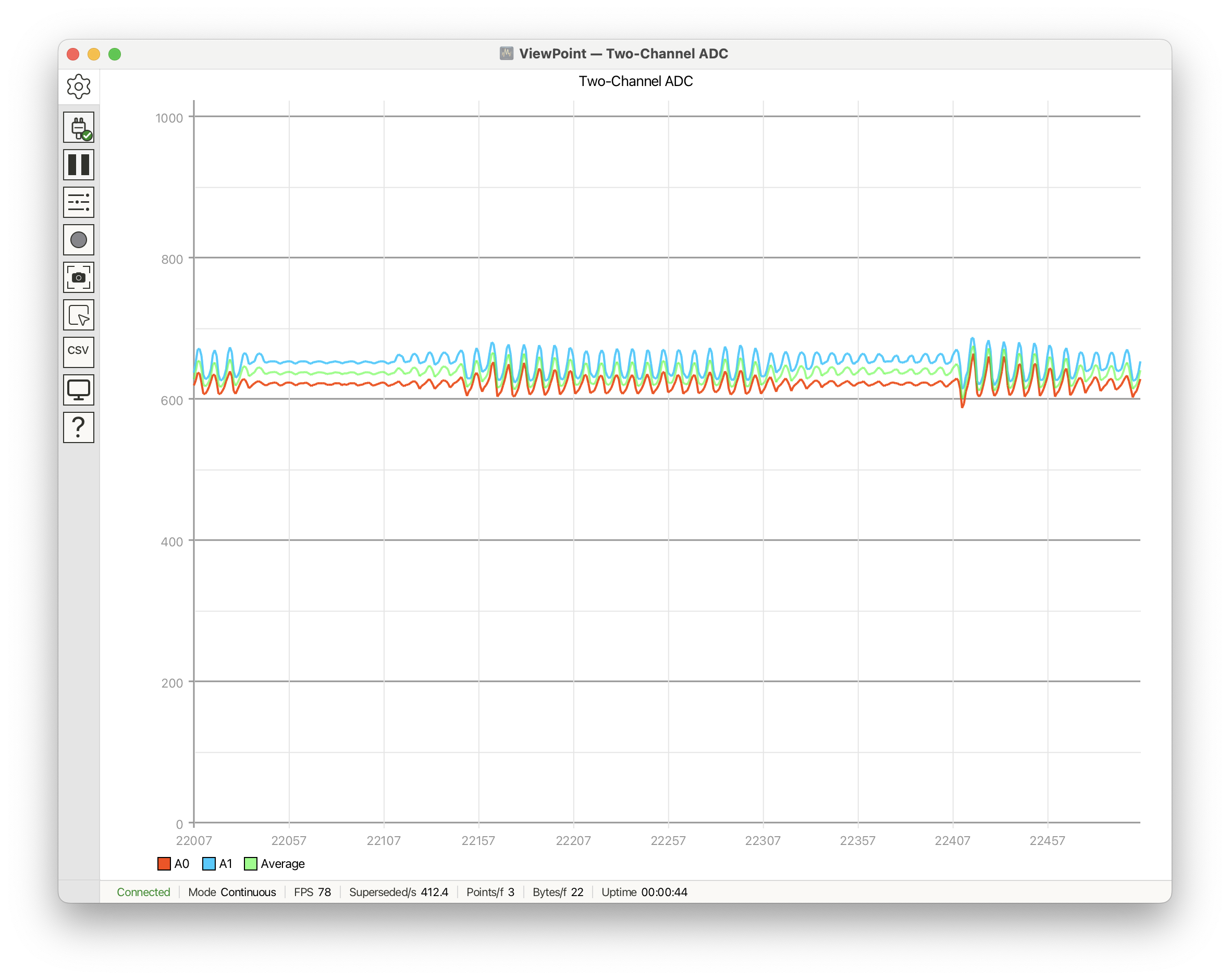
Trace labels control what appears in the legend, and trace colors make
multi-channel plots readable at a glance. This recipe shows both color forms:
named colors from the colors:: palette, raw RGB/ARGB literals, and the helper
color(...) functions. See Trace Configuration.
#include <ViewPoint.h>
using namespace viewpoint;

void setup() {
    view.begin();
    view.setTitle("Two-Channel ADC");
    view.setVerticalRange(0, 1023, 100, 200);
    view.trace("A0").setColor(colors::OrangeRed);
    view.trace("A1").setColor(0x00CCFF);                  // RGB literal
    view.trace("Average").setColor(color(128, 0, 255, 0)); // ARGB helper
}

void loop() {
    float a0 = analogRead(A0);
    float a1 = analogRead(A1);
    view.addData("A0", a0);
    view.addData("A1", a1);
    view.addData("Average", (a0 + a1) * 0.5f);
    view.send();
}
What the functions do
view.trace("A0")gets or creates a trace by label..setColor(colors::OrangeRed)chooses a named palette color..setColor(0x00CCFF)chooses a raw RGB color in0xRRGGBBform. Fully opaque alpha is assumed..setColor(color(128, 0, 255, 0))uses the ARGB helper form: alpha, red, green, blue. Alpha values run from 0 transparent to 255 opaque.- Trace creation order controls legend order and default automapping to plots.